🗓️ How to reserve desks



 Did this answer your question?😞😐😃
🗓️ How to reserve desks
Reserve your desks for special occasions and events
Updated over 7 months agoYou can reserve desks in your location in bulk by following these steps. Please note, only Admins have access to the Setup button:
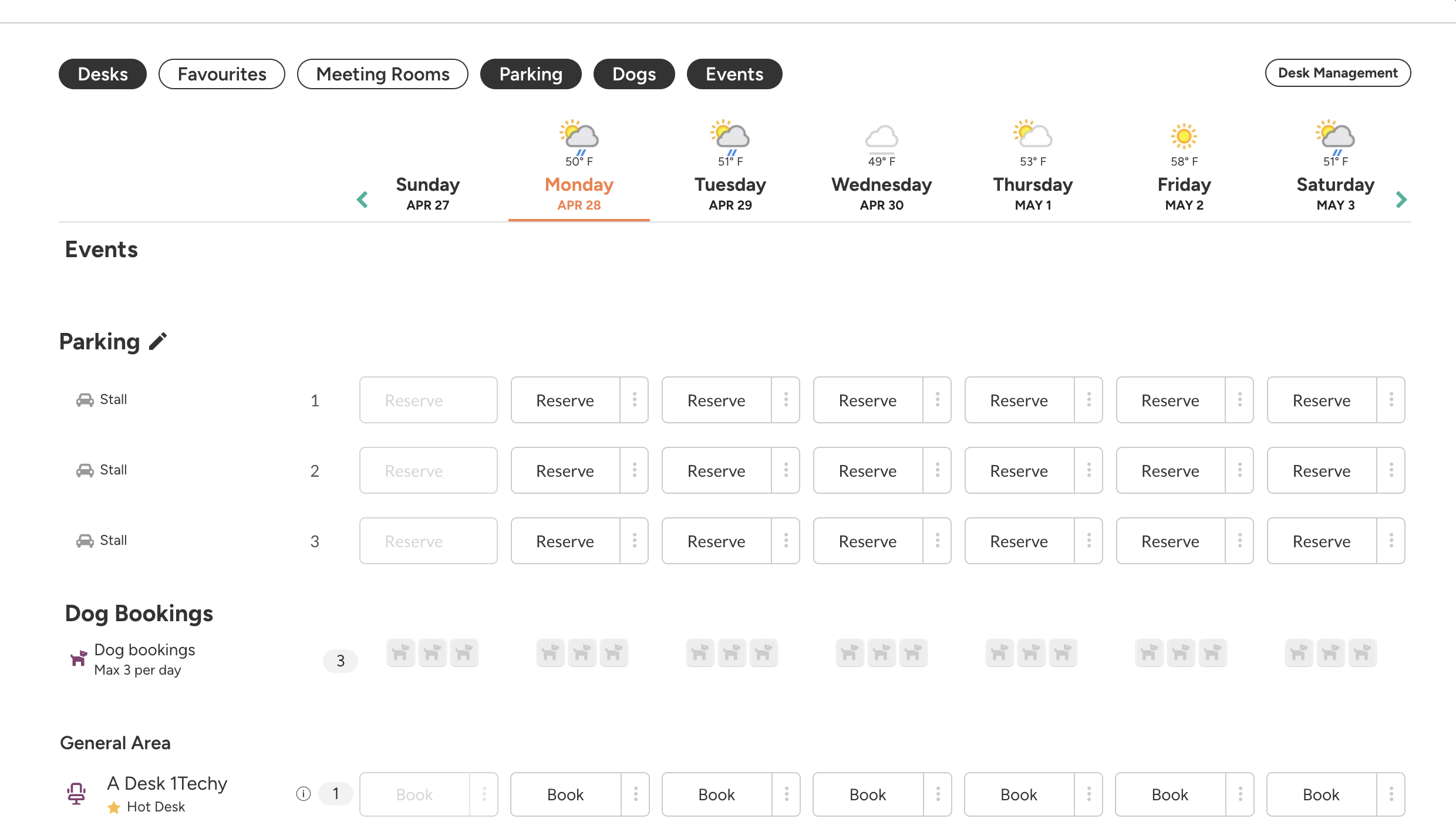
Navigate to your location of choice and select Desk Management
-
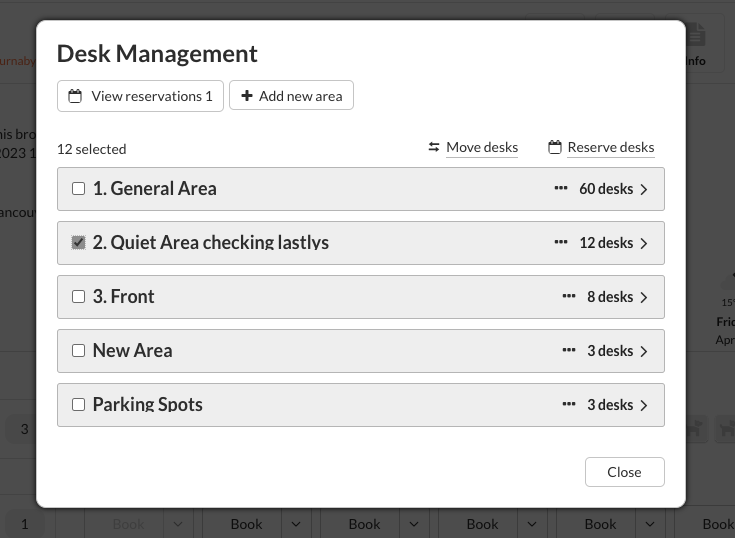
Select areas/desks that you want to reserve and click Reserve Desks
-
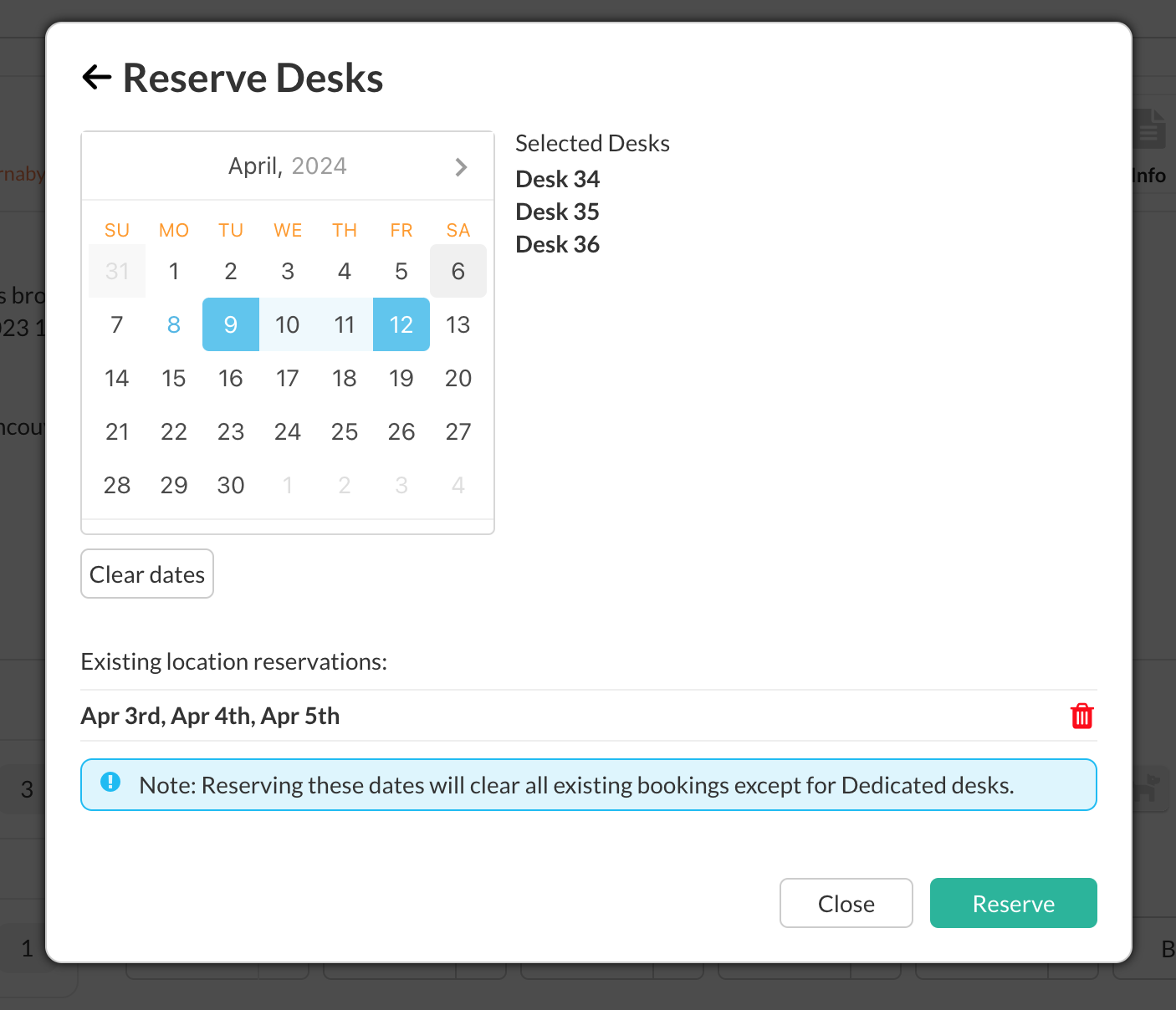
Select a date range for your reservation and click Reserve.
-
Navigate to your location of choice and select Desk Management
Select areas/desks that you want to reserve and click Reserve Desks
Select a date range for your reservation and click Reserve.
Did this answer your question?😞😐😃