How to find your Slack ID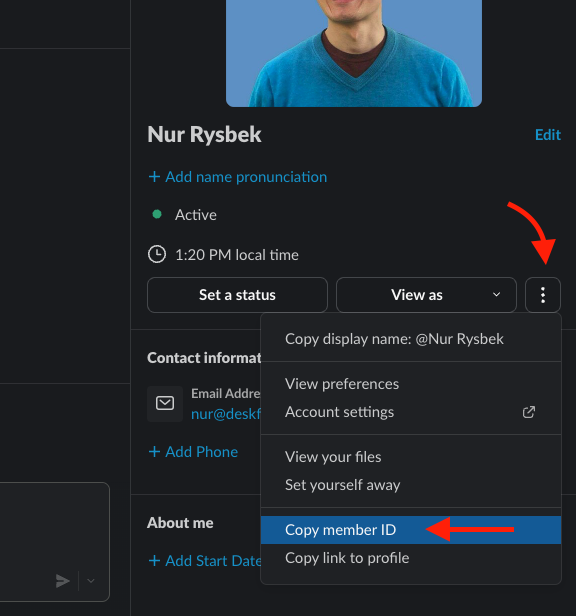 Did this answer your question?😞😐😃
How to find your Slack ID
Read this article to find your Slack ID
Updated over 10 months agoYou can find your Slack ID by following these steps:
Open your profile pane in Slack app
Click on three (3) dots button
Copy member ID
Open your profile pane in Slack app
Click on three (3) dots button
Copy member ID
Once copied, you can paste this value anywhere (text editor, email, etc) to view your user's Slack ID.
 Did this answer your question?😞😐😃